Test our apps
Try new versions of our apps before everyone else, and tell us what you think. It is free. Test versions can still have rough edges: if something breaks or feels wrong, write to support@halfskypublishing.com.
Android (Google Play)
Use the same Google account as the Play Store on your phone or tablet. On a computer, open the links; on the phone, scan the codes with the camera.
1. Join the Halfsky Testers group
The group is only a guest list for the tests: nobody posts in it and it sends no email. Open it and choose Join group.
Join the group
2. Choose the apps you want to test
For each app, open its test page, choose Become a tester, then install it from Google Play. It can take a few minutes after joining the group before the test page lets you in.
-
TinyFingers: Toddler Painting
Finger painting for toddlers.

-

-

-

-
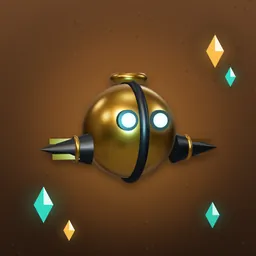
Tinkerlode
Dig through living caves; mind the falling stones. New: Google is still reviewing this test, so if its page doesn't let you in yet, try again in a few days. Meanwhile, play it in your browser.
Test versions update through Google Play like any app. To stop testing, open the app's test page again and choose Leave the program, or leave the group.
iPhone & iPad (TestFlight)
The tests run in Apple's free TestFlight app and need iOS 17 or newer (iPhone XR, XS or later). No sign-up needed: anyone with the link can join. On a computer, scan the codes with the iPhone or iPad camera.
1. Install TestFlight
Get Apple's TestFlight app from the App Store, on the iPhone or iPad you want to test on.
Get TestFlight
2. Choose the apps you want to test
Open the app's TestFlight link on the iPhone or iPad, choose Accept, then Install. If TestFlight says the beta isn't accepting testers, Apple is still reviewing it: try again a day later.
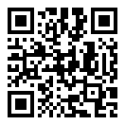
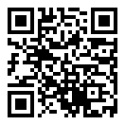



TestFlight updates the test versions for you. Each test build works for 90 days, so install the newer one when TestFlight offers it. To stop testing, open the app in TestFlight and choose Stop Testing.
Windows
No test needed: all four apps are on the Microsoft Store. TinyFingers · Torque Blast! · WAKE · Flip Drop!. Tinkerlode isn't on Windows yet: play it in your browser.
Privacy
- When you join the group, Google shares the email address of your Google account with us, the group's managers. We use it only to let Google Play give you the test versions. Other members can't see who is in the group.
- TestFlight is run by Apple. It sends us crash reports, basic usage such as how often the app was opened, and the feedback and screenshots you choose to send. TestFlight shows what it shares before you accept.
- Testing collects nothing extra: the test versions follow each app's own privacy policy (TinyFingers, Torque Blast!, WAKE, Flip Drop!).
- On Google Play, purchases inside a test version are real purchases. In TestFlight they are free test purchases. You never need to buy anything to test.
Share this page
Scan to open this page on a phone: halfskypublishing.com/testing